

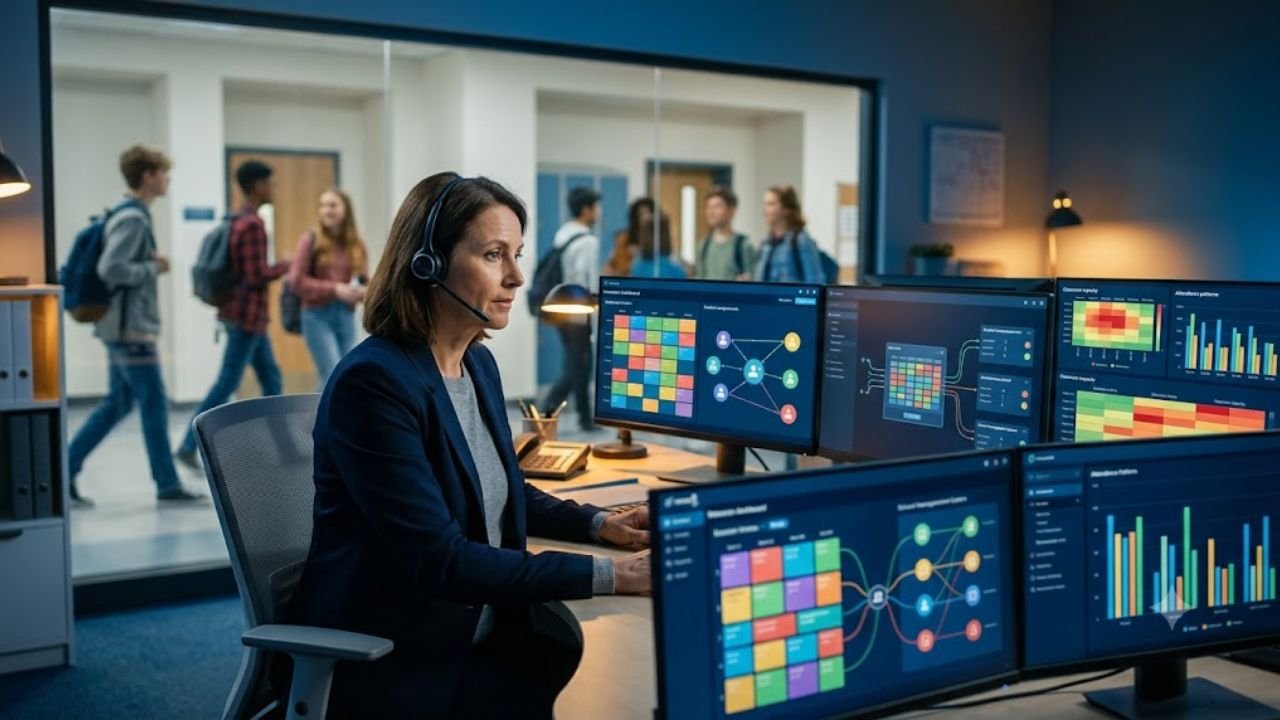
The platform behind thousands of daily intervention assignments has entered a new ownership phase, raising practical questions about access, integrations, student data and what comes next.
A school may have a carefully designed Response to Intervention programme, trained teachers and a protected intervention period—yet still fail at the final operational step: getting each student into the correct room, with the correct educator, at the correct time.
That logistical problem is what RTI Scheduler was built to address. The cloud-based platform coordinates intervention, enrichment and flexible-period sessions across secondary schools, replacing disconnected spreadsheets, paper passes and manually updated rosters with a central scheduling workflow.
The platform is also undergoing a significant transition. On June 29, 2026, Minga announced that it had acquired Gammon Applications, the Arkansas company behind RTI Scheduler. Existing customers were told that their current product and support experience would continue while the two platforms are progressively integrated.
RTI Scheduler is a cloud-based K–12 scheduling platform used to assign students to intervention, enrichment and flex-period sessions. It manages session capacity, teacher availability, student enrolment, attendance, notifications and reporting. The platform remains operational following Minga’s June 2026 acquisition of its original developer, Gammon Applications.
What RTI Scheduler Actually Does
RTI Scheduler is not a conventional timetable generator for creating semester-long class schedules. It is designed for frequent, flexible scheduling inside an already established school day.
Schools typically use it for periods labelled:
- RTI time
- Intervention block
- Flex period
- Enrichment period
- Advisory
- WIN time, meaning “What I Need”
- Extension or support period
- Academic recovery time
During these blocks, students may need different assignments each day or week. One student may require algebra support, another may attend reading intervention, while others choose enrichment, counselling, project work or supervised study.
RTI Scheduler provides the operational layer for assigning those students, controlling seat availability and communicating where everyone is expected to report. The company describes the software as a tool for creating customised daily or weekly sessions, prioritising teacher selections, permitting controlled student self-enrolment and locking assignments when necessary.
The distinction matters because RTI itself is an instructional framework—not a software product. The U.S. Department of Education describes Response to Intervention as a multi-step process involving research-based instruction, universal screening, progress monitoring and increasingly intensive support for students who need it. An RTI scheduling platform organises delivery; it does not determine which intervention is educationally appropriate.
For an authoritative explanation of the educational framework, see the U.S. Department of Education’s Response to Intervention evaluation.
RTI Scheduler at a Glance
| Attribute | Verified position |
|---|---|
| Primary purpose | Flexible scheduling for intervention, enrichment and student-support periods |
| Intended sector | K–12 education, particularly schools running frequent flex or RTI blocks |
| Delivery model | Cloud-based web platform |
| Original developer | Gammon Applications |
| Original location | Rogers, Arkansas |
| Current owner | Minga, following the June 29, 2026 acquisition |
| Reported adoption | Approximately 500 U.S. schools, according to Minga |
| Scheduling frequency | Daily, weekly or as frequently as the school requires |
| User functions | Session creation, student assignment, self-enrolment, attendance, notifications and reports |
| Identity integration | Clever Instant Login and Clever Secure Sync |
| SIS connectivity | Company-reported OneRoster-compatible integrations, including systems such as Skyward, Infinite Campus and Aeries |
| Trial availability | The official site advertises a 30-day trial |
| Public list pricing | No definitive standard price was identified on the publicly indexed product pages reviewed |
Sources: Minga’s acquisition announcement, RTI Scheduler’s company profile, Clever’s application directory and RTI Scheduler’s indexed product pages.
The company’s LinkedIn profile lists RTI Scheduler as founded in 2018. That date appears in company-controlled information rather than an independent corporate registry, so it should be treated as a self-reported company fact.
The RTI Scheduler Login Route—and Why Access Varies by School
The official starting point is the RTI Scheduler login selection page.
Users searching for “RTI Scheduler login” should avoid unofficial domains, copied login guides and similarly named websites. The correct product domain is rtischeduler.com.
Authentication is controlled at the school or district level. RTI Scheduler supports Clever Instant Login, while Clever Secure Sync can provision accounts and roster information. Some schools may therefore direct students and staff through Clever rather than asking them to enter a separate RTI Scheduler password.
Other organisations may distribute a district-specific route or use a configured identity provider. For example, one California school instructs users to select the Google sign-in option and authenticate with their school Google account. That is a local implementation, not proof that every RTI Scheduler customer follows the same procedure.
A Safe Login Sequence
- Open the link supplied by the school, teacher or district technology department.
- Confirm that the destination uses the official
rtischeduler.comdomain or an approved district single sign-on portal. - Select the identity method configured by the school, such as Clever or another institutional sign-in route.
- Use the assigned school account rather than a personal email address unless specifically instructed otherwise.
- Confirm that the displayed school, role and schedule belong to the correct user.
- Sign out after using a shared or public computer.
A student normally cannot independently create a fully functioning school account. Access, rosters, permissions and enrolment rules are administered by the participating institution.
When the RTI Scheduler Login Does Not Work
| Problem | Most likely cause | Appropriate response |
|---|---|---|
| The school is not listed | Wrong portal, incomplete provisioning or incorrect district route | Use the link issued by the school and contact its technology administrator |
| Clever login loops back | Expired browser session or account-mapping issue | Sign out of Clever, clear the session and try again |
| User receives “unauthorised” access | Account has not been assigned the correct role or school | Ask the school’s RTI Scheduler administrator to verify permissions |
| No sessions appear | Sessions have not been published, the scheduling window is closed or the student has not been assigned | Confirm the active date and scheduling period with staff |
| A class is full | The session has reached its configured capacity | Select another eligible session or request staff placement |
| Student cannot self-enrol | Self-enrolment is disabled, restricted or locked | This is usually an intentional school-level rule |
| Old schedule remains visible | Cached page, wrong date or delayed roster synchronisation | Refresh, sign out and confirm the schedule date |
| Password reset does not help | The account is managed through institutional SSO | Reset the school identity account or contact district support |
RTI Scheduler maintains a public service-status page, although a user-specific login failure does not necessarily indicate a system-wide outage. A district identity service, browser session, roster sync or local permission setting may be responsible even when the main platform is online.
Behind the Screen: The Operational Architecture
RTI Scheduler’s underlying programming languages, hosting provider, database engine and source-code architecture are not publicly documented in the materials reviewed. Claims naming a specific technical stack would therefore be speculative.
Its functional architecture, however, can be reconstructed from its documented capabilities.
1. Identity and Roster Layer
The platform requires structured records for students, teachers, schools, grade levels and user roles. Clever Secure Sync can provision accounts and roster data, while the company reports OneRoster-compatible integrations with major student information systems.
OneRoster is relevant because it provides a standardised method for exchanging roster, course and enrolment information. Compatibility can reduce duplicate data entry, but districts still need to verify which fields synchronise, how frequently updates run and which system is treated as the authoritative source.
2. Session Configuration Layer
Authorised staff create intervention or enrichment sessions with attributes such as:
- Session title or category
- Teacher
- Location
- Date and flex-period block
- Maximum capacity
- Eligible grade levels
- Searchable tags
- Student self-enrolment status
- Assignment priority
- Locking rules
These controls convert a broad RTI period into specific, bookable placements.
3. Assignment and Enrolment Layer
Students can be placed through staff assignment, teacher priority or permitted self-enrolment. The software must reconcile available seats, eligibility rules and locked placements so that students are not assigned to incompatible or over-capacity sessions.
This is where RTI Scheduler differs from a shared spreadsheet. A spreadsheet can record destinations, but it does not inherently enforce permissions, session capacity, enrolment windows or role-based workflows.
4. Attendance and Accountability Layer
Teachers can record session attendance, export attendance information and review student attendance patterns. Administrators can also monitor whether students are enrolled and whether teachers have created or participated in expected sessions.
Attendance data can establish that a student was assigned and marked present. It cannot, by itself, establish that the intervention was evidence-based, delivered with fidelity or academically successful.
5. Notifications and Reporting Layer
The platform can issue reminders when staff need to create sessions, tell students when self-enrolment is available and notify students of their assigned destination. Reporting exports allow schools to examine enrolment and usage patterns.
This makes the software an operational record of who was scheduled, where they were assigned and whether they attended—not a complete intervention-outcomes system.
“Every teacher deserves better than a spreadsheet.” — Darice Gammon, founder of RTI Scheduler.
The sharper interpretation is that automation can remove scheduling friction, but it cannot substitute for instructional judgement.
Where RTI Scheduling Succeeds—or Quietly Breaks Down
A technically correct schedule can still produce a weak RTI programme.
The U.S. Department of Education defines RTI around data-informed intervention, escalating support and ongoing progress monitoring. Placing a student into a room is only one component of that process.
Schools should therefore evaluate RTI Scheduler across two separate dimensions.
Operational Performance
- Are all students assigned before the intervention block begins?
- Are room and teacher capacities respected?
- Can staff locate students quickly?
- Are attendance records complete?
- Are unassigned students visible to administrators?
- Are schedule changes communicated in time?
- Does roster synchronisation accurately reflect transfers and withdrawals?
Instructional Performance
- Was the student selected using reliable screening or progress data?
- Does the assigned session address a defined academic or behavioural need?
- Is the intervention delivered at the planned frequency and intensity?
- Is progress monitored using an appropriate measure?
- Is the intervention changed when the student does not respond?
- Are enrichment opportunities protected rather than used merely as holding rooms?
RTI Scheduler can support the first list directly. It may provide information useful to the second, but educational effectiveness still depends on curriculum quality, staffing, intervention fidelity and data-based decision-making.
Data-Governance Questions Districts Should Ask
RTI scheduling records may contain student names, identifiers, attendance information, grade levels, assignments and intervention-related details. Procurement teams should examine:
- Which student and staff fields are collected
- Whether sensitive intervention labels are visible to students or unauthorised employees
- Role-based access controls
- Authentication and account-provisioning procedures
- Data-retention and deletion rules
- Export capabilities
- Subprocessors and hosting arrangements
- Incident-notification commitments
- Contractual ownership of district data
- Processes for correcting inaccurate records
- Data treatment following the Minga acquisition
RTI Scheduler’s privacy policy, dated June 21, 2026 in indexed search records, states that the service collects usage information such as page views and error-reporting data to analyse and maintain the site. Districts should review the complete current policy and contractual documentation rather than assuming that general product descriptions answer all student-privacy questions.
What the Minga Acquisition Changes
Minga announced its acquisition of Gammon Applications on June 29, 2026. The stated objective is to combine RTI Scheduler’s flexible scheduling capabilities with Minga’s broader student behaviour and engagement platform.
According to the announcement:
- RTI Scheduler was being used by approximately 500 U.S. schools.
- Minga intended to strengthen its Intervention and Enrichment product.
- The RTI Scheduler team and its specialist knowledge were joining Minga.
- Existing customers would continue receiving the same product and support experience.
- Additional integration between the platforms was planned.
Minga separately reported that its wider platform served more than 2,000 schools and 700 districts. Those figures are company-provided adoption claims and were not independently audited in the source reviewed.
For current customers, the immediate message is continuity rather than migration. The announcement did not publish a mandatory transition date, a new pricing model or a deadline for moving RTI Scheduler accounts into Minga.
The longer-term direction is more consequential. A combined platform could connect intervention scheduling with hall-pass management, tardy records, behaviour support, rewards and school communication. That may reduce the number of disconnected systems, but it also increases the importance of permission design and data minimisation because more categories of student information may become accessible through one environment.
Frequently Asked Questions
What is RTI Scheduler?
RTI Scheduler is a cloud-based school scheduling platform for organising Response to Intervention, enrichment and flex-period sessions. Schools use it to create sessions, assign students, manage teacher and room capacity, permit controlled self-enrolment, record attendance, send notifications and export reports. It is not the RTI instructional framework itself.
How do students access the RTI Scheduler login?
Students should use the official link provided by their school. The public starting point is rtischeduler.com/ui/choose-login, but many districts use Clever or another institutional authentication route. Students should not create accounts through unofficial websites or enter school credentials into similarly named domains.
Is RTI Scheduler free?
RTI Scheduler is a commercial school platform, not a permanently free public service. Its official indexed pages advertise a free 30-day trial, but a universal public pricing table was not identified in the reviewed materials. Schools may need to request a demonstration or quotation based on their deployment requirements.
What does “rti schedular” mean?
“RTI schedular” is a common misspelling of RTI Scheduler. In this context, RTI means Response to Intervention, and Scheduler refers to the software used to organise intervention, enrichment and flex-period assignments. It should not be confused with India’s Right to Information portal or unrelated real-time scheduling systems.
Does RTI Scheduler replace a student information system?
RTI Scheduler does not appear to replace a full student information system. It uses or synchronises roster information and focuses on flexible intervention-period scheduling. The company reports OneRoster-compatible integrations with SIS platforms including Skyward, Infinite Campus and Aeries, indicating that it functions alongside core student-record systems.
Is RTI Scheduler still operating after the Minga acquisition?
Yes. Minga’s June 29, 2026 announcement stated that existing RTI Scheduler customers would continue receiving the same product and support experience while integration work proceeded. No immediate shutdown or mandatory migration was announced in the official acquisition statement.
The Real Measure Is Not the Schedule
RTI Scheduler addresses a genuine operational problem: intervention programmes become difficult to sustain when schools cannot reliably coordinate hundreds or thousands of changing student assignments.
The software can make that coordination faster, more visible and more accountable. Its value is strongest when it connects a sound instructional decision to a completed intervention session—without losing the student between a spreadsheet, a paper pass and a crowded hallway.
But scheduling remains the delivery mechanism, not the educational intervention. A polished dashboard cannot compensate for weak screening, unsuitable instruction, insufficient staffing or absent progress monitoring.
Following Minga’s acquisition, RTI Scheduler may become part of a broader school-operations platform. The critical question for education leaders is therefore no longer simply, “Can this system produce an RTI schedule?” It is whether the combined technology helps schools deliver targeted support while maintaining instructional integrity, transparent governance and appropriate control over student data.
Sources and Verification
- Minga acquisition announcement, June 29, 2026: Ownership, reported school adoption, product continuity and intended platform integration.
- Clever App Gallery: Clever Instant Login and Clever Secure Sync support.
- RTI Scheduler company profile: Product capabilities, company location, reported founding date and SIS integration descriptions.
- U.S. Department of Education, Institute of Education Sciences: Definition and instructional components of Response to Intervention.
- RTI Scheduler indexed product and privacy pages: Trial availability, product positioning and usage-data disclosure.
- RTI Scheduler status page: Public service-status availability.
Editorial Disclaimer: Product features, integrations, adoption figures and ownership details reflect publicly available information reviewed in July 2026. Company-reported figures have been identified where relevant. Pricing, contractual terms, technical configurations and district implementations may vary. Schools should verify current requirements directly with the vendor and conduct their own educational, privacy, security and procurement assessments.